What Actually Changed in OpenClaw 2.0? After Six Months, These Six Upgrades Matter Most
After six months with OpenClaw, I care less about whether it can complete a demo and more about whether it can keep working reliably. Version 2.0 focuses on onboarding, resumable tasks, memory, interaction, collaboration, and permissions.
When OpenClaw 2.0 came out, I started by reading through the release notes.
My first reaction was underwhelming.
Conversation history search, persistent progress cards, paired devices, buttons, dashboards, credential inputs—taken one by one, none of them felt like a must-have upgrade.
But the more I read, the more I realized that nearly every feature corresponded to a problem I had actually hit over the previous six months.
When I first started using OpenClaw in February, my notes were full of exciting experiments: monitoring X, translating official AI announcements, processing voice memos, making podcasts, generating videos, and assigning jobs to different agents.
Then the tone of my notes changed.
Gateway pairing failed. Scheduled jobs finished without reporting back. Sub-agents picked up the wrong model. Old conversations became impossible to find. I even ran a separate “doctor” instance so that if the primary Gateway went down, something else would still be around to repair it.
I experimented with multi-agent setups too. At first, I assumed that finer divisions would make the system more professional. Later, I wrote an essay reminding myself not to collect workspaces the way a struggling student collects stationery—an elaborate setup is not the same thing as useful work.
That is why I looked at 2.0 very differently from the way I would have six months ago.
After six months, what I care about most is whether it can keep doing the work reliably.
I group the release into six changes: faster onboarding, resumable tasks, more reliable memory, clearer interaction, multi-user collaboration, and tighter permissions.
Start with setup and interrupted tasks
Installing early versions of OpenClaw felt like assembling a half-finished kit.
Node.js, model providers, the Gateway, channels, API keys, skills—if any one step went wrong, you could lose half a day. I helped other people install it as well, and path issues, device signatures, and QR-code logins often meant that fixing one problem simply revealed the next.
The onboarding flow in 2.0 is much more complete.
It first detects AI services already available on the computer, runs a real model request to make sure the route works, and only then continues with workspace and Gateway setup. The browser and native apps also handle more configuration, so users no longer have to edit config files for the entire process.
This is still not a consumer-grade product. But compared with six months ago, setup finally feels less like an exam.
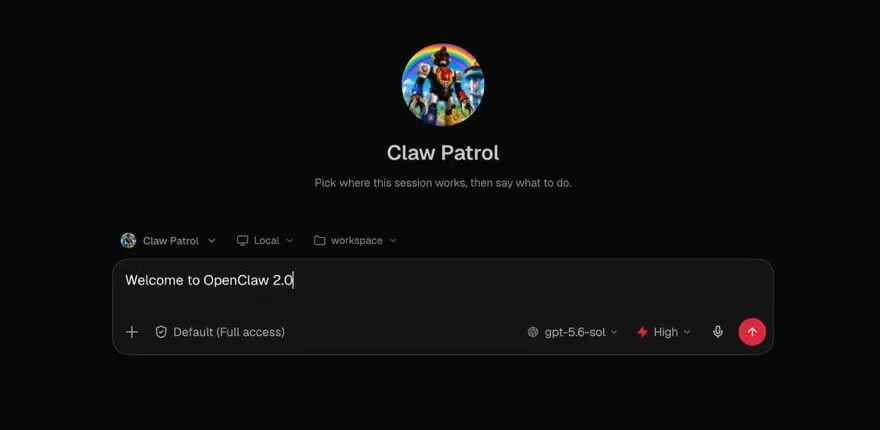
The rebuilt OpenClaw 2.0 browser experience opens directly into a conversation with Claw. Source: OpenClaw.
The second change matters even more to me: task state is finally treated as something worth preserving.
The new version has persistent progress cards. Refresh the page and the task is still there. You can continue to see what sub-agents have done and what changes are being made to files.
Tasks can also run on paired devices or cloud workers, and the session and its workspace can move together. Existing machine environments and project foundations can be reused, and some one-off tasks interrupted by a restart will attempt to recover.
In the past, whenever I handed OpenClaw a long-running job, I kept checking whether the window was still alive. Version 2.0 at least starts to show where the task is running, how far it has progressed, and what happened after an interruption.
This is the most useful part of the upgrade for me.
Memory is finally searchable, and interaction is no longer just chat
OpenClaw has had memory files for a while.
The problem is that saving something does not mean you can find it later.
I often remember discussing something with the system but cannot remember which conversation it was in. Once the number of sessions grows, manually browsing the history stops being practical.
Version 2.0 adds conversation history search. Enter a phrase or keyword, find matching messages, and then open the surrounding context.
During setup, it can also detect and import memories from Claude Code, Codex, and Hermes. That is interesting because OpenClaw is now treating “what happens to my memory when I change tools?” as a formal product requirement.
Active Memory and Dreaming are not new in this release. Active Memory surfaces potentially useful history while you chat; Dreaming organizes scattered records in the background. What 2.0 mainly adds is search and migration. Together, these parts begin to resemble a memory system you can actually use.
The other change is interaction.
Previously, when an agent needed confirmation, it could usually only send a paragraph of text. You would read it and type another paragraph in response.
Now it can present option cards, buttons, free-text fields, and a “Skip” action. Components generated by an agent can remain in the session dashboard. Charts, control panels, and media are also less likely to disappear after a refresh.
These details may sound small, but everyday use is made of small actions. I do not want to invent a fresh, ambiguity-free sentence every time I approve a task.
Once you have more agents, managing them is harder than invoking them
When I first configured multiple agents, I mostly cared about which model each one used and which task it owned.
Running them for real exposed a different set of problems.
Some tasks do not need a dedicated agent. Some agents can see too many files. When a scheduled job fails, it may be unclear whether the model, the permissions, or the execution device caused the problem.
The 2.0 progress interface can show sub-agent activity, while different agents can have their own routing. Gateway roles and scopes can further restrict which sessions a user can access, which agents they can invoke, and which operations they can approve.
It has not made multi-agent management effortless. But at least you no longer have to infer what a group of agents is doing solely from configuration files and logs.
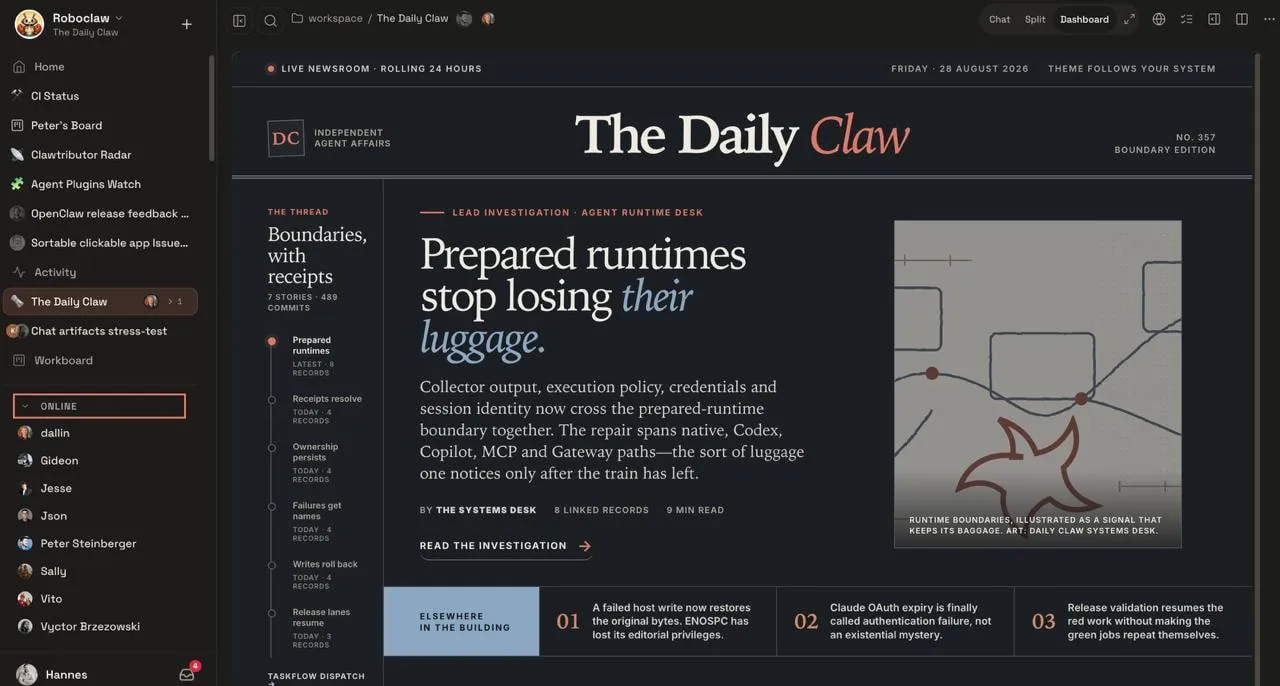
OpenClaw’s multiplayer workspace brings tasks, boards, and online collaborators into the same context. Source: OpenClaw.
The security changes are more concrete.
When an agent needs a password or token, OpenClaw can show a masked input field. The credential does not have to appear in the conversation or be inserted directly into model context. With the proxy enabled, a secret can also be restricted to approved destination addresses.
An automated task can request standing permission for one clearly defined operation. You can review and revoke these permissions, and the task must apply again if its content changes.
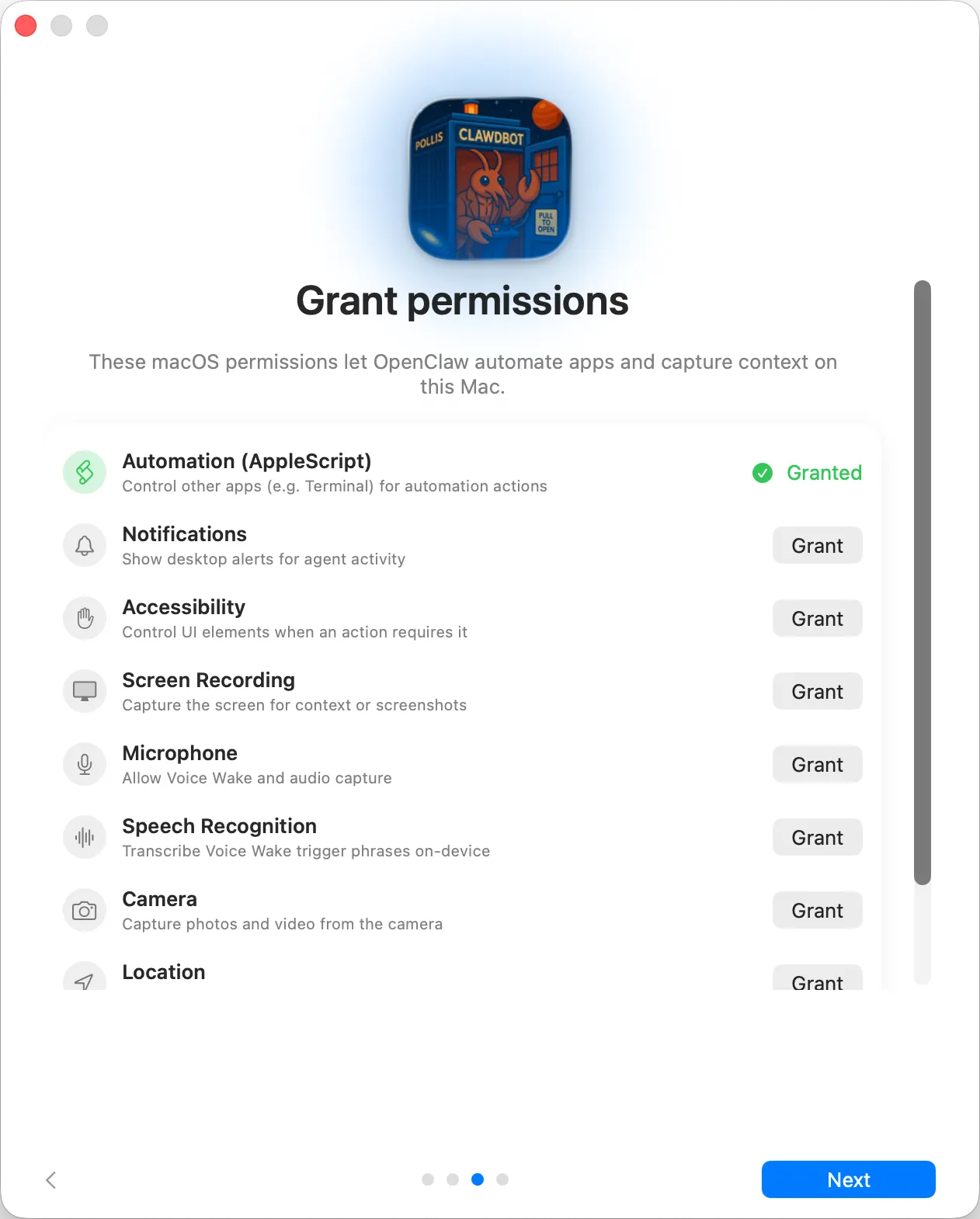
The permissions screen in the OpenClaw macOS app. Source: the official OpenClaw repository.
The new version also supports an optional 1Password Broker.
But do not interpret that as “the model can never see a secret.” When access goes through a controlled proxy, the model does not receive the raw credential. If you allow an agent to read a field directly, the model may still see that value during that run.
Explaining those boundaries is more useful than saying the system is simply “safe and controllable.” Once OpenClaw has access to email, servers, and real business systems, security is no longer a footnote at the end of a setup guide.
How is OpenClaw different from Hermes?
ChatGPT and Claude are AI assistants you use directly. Manus and Codex are designed to carry out tasks for you. OpenClaw sits lower in the stack: it connects those capabilities to your devices and everyday workflows.
If I had to name a product following a path closer to OpenClaw, I would start with Nous Research’s Hermes Agent.
Hermes and OpenClaw can both be self-hosted. Both support multiple models, long-term memory, skills, messaging channels, scheduled jobs, tool use, and sub-agents.
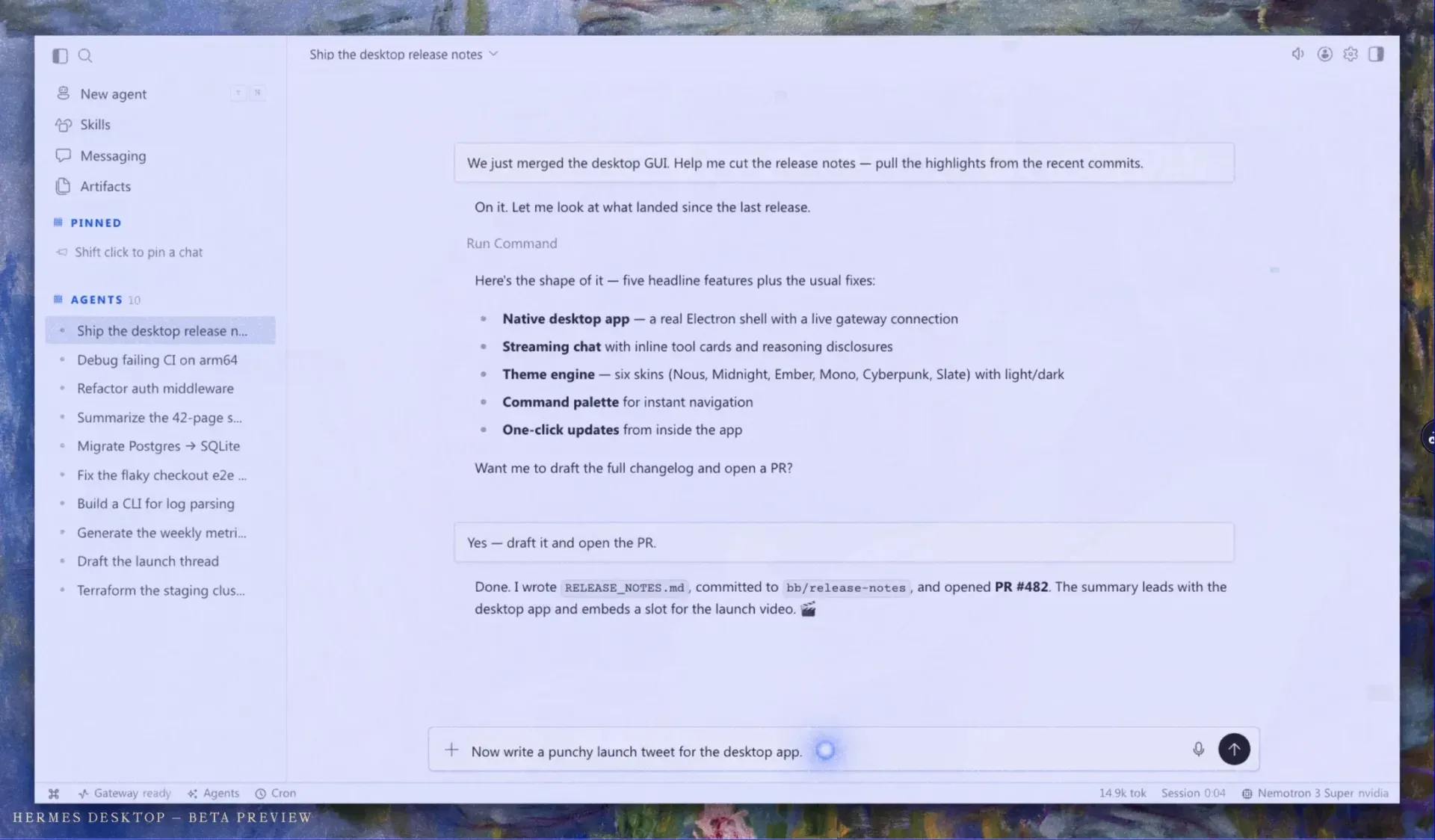
The official Hermes desktop beta preview brings multiple agents, skills, messages, and artifacts into one workspace.
| Area | OpenClaw 2.0 | Hermes Agent |
|---|---|---|
| Recent product focus | Cross-device tasks, progress UI, interactive components, permissions, and credential management | Learning loops, self-improving skills, memory, and multiple execution environments |
| Memory | Conversation search, Active Memory, Dreaming, and external memory migration | Built-in memory, session search, and multiple pluggable memory services |
| Skills | Work methods provided by users, agents, and the community | Can turn a completed complex workflow into a skill, then keep modifying it through later use |
| Execution | Gateway, paired devices, and cloud workers | Local, Docker, SSH, Modal, Daytona, and other terminal environments |
| Product interface | Web and native apps; 2.0 adds stronger cards and dashboards | Started in CLI/TUI; now also offers a native desktop app and unified Gateway |
My view of OpenClaw comes from six months of use. My view of Hermes comes mainly from official materials, not equivalent hands-on testing. Declaring a winner now would not mean much.
Their current priorities are fairly easy to see.
OpenClaw 2.0 spends a lot of effort on where tasks run, which device owns them, how progress is shown, and how people retain control over permissions.
Hermes is most distinctive for its learning loop. After a complex workflow succeeds, it can package the method as a skill and continue to reuse and modify it. Hermes also offers multiple memory backends, letting users choose how memory is stored and recalled.
OpenClaw 2.0 can already import memories from Hermes. The two projects are competing not only for new users, but also for the working methods those users have accumulated.
If you have already built messaging channels, workspaces, and automated jobs around OpenClaw, I see no reason to migrate immediately just to try Hermes.
If you are starting from scratch and particularly care about whether an agent can gradually learn repeated work as a skill, Hermes belongs on the test list.
But I would run real tasks for a while before deciding: one scheduled job, one long task that must continue across sessions, and one permission or recovery scenario. Feature checklists do not reveal the real differences.
Will 2.0 bring OpenClaw to mainstream users?
It will broaden the audience, but I do not think it is a mass-market product yet.
The onboarding flow, native app, and visual interface lower the barrier. Users still need to understand models, plugins, messaging channels, and execution environments. OpenClaw offers a great deal of freedom, and the maintenance burden does not disappear.
Version 2.0 is more likely to attract developers, heavy AI users, and people who genuinely have long-running automated jobs.
I would not overstate the release’s industry impact either.
It does send at least one signal: open-source agent projects are beginning to invest in recovery, migration, state, and permissions, rather than only adding more tools.
ChatGPT, Claude, Manus, and Codex are also strengthening long-running tasks, cross-device work, and multi-agent capabilities. As their feature lists converge, the real differences may come down to a few practical questions:
Who controls the execution environment? Where does the data live? Can working state move with the user? And when something goes wrong, can the user find out what happened?
If you already use OpenClaw, read the migration notes first
Version 2.0 includes breaking changes.
The built-in OpenProse plugin and /prose command have been removed. Existing codex/* and openai-codex/* routes must move to the new openai/* route. Some model providers have become separate plugins, and external plugins must gradually adapt to the new SDK.
If your configuration is complex, back up the OpenClaw configuration and workspace before running the official recommendation:
openclaw doctor --fixI would not overwrite my current setup with 2.0 either. The more model routing, custom plugins, and scheduled jobs you have, the more important it is to read the full migration notes first.
Six months ago, I was more easily impressed when OpenClaw learned to do one more new thing.
Now I think doing the same thing reliably for months is much harder than making a demo work once.
So I will upgrade—but I will back up first and run doctor before I do.
As for whether OpenClaw 2.0 has earned the label “agent OS,” I would rather wait until it has been running reliably for a while.
Discussion